
How to Integrate AI into Legacy Systems
We are living in an era in which AI is being adopted rapidly. Businesses are now using artificial intelligence for automation, analyzing data, making decisions, and staying competitive.
According to a report from Boston University, 88% of organizations now use AI in at least one business function.
However, many businesses can’t afford to replace all of their legacy systems with AI-powered systems, and this might be your case too.
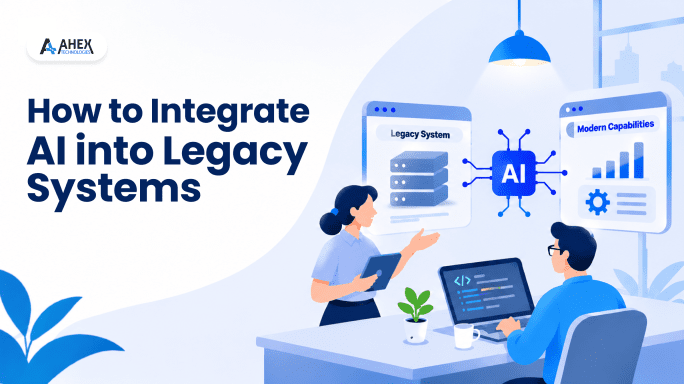
But there is a way out. Why not integrate artificial intelligence with legacy systems to extend their capabilities while retaining your existing applications and workflows?
But how? Find out in this blog. Learn about AI integration in legacy systems, benefits, different integration approaches, the step-by-step process, challenges, how to tackle them, and more.
Why Do Businesses Need AI Integration with Legacy Systems?
Even today also, many large-scale enterprises rely on older apps to manage their critical business processes.
These systems often lack advanced capabilities that they need today, like real-time data processing, predictive analytics, and intelligent automation.
By integrating AI, businesses can extend the functionality of their existing systems. They can extract more value from accumulated data, automate repetitive tasks that enhance productivity and reduce workload, and make faster decisions based on data.
Let’s see how AI integration transforms legacy systems.
| Area | Before AI Integration | After AI Integration |
| Data Analysis | Done manually | AI-driven data insights |
| Maintenance | Resolution when something happens | Predictive maintenance |
| Workflows | Rule-based processes | Intelligent automation |
| Decision-Making | Based on historical data and trends | Predictive analytics |
| Customer Support | Queries handled manually | AI chatbots handling 24/7 |
| Data Management | Access to limited data | Analysis of internal data and connected sources |
Benefits of AI Integration with Legacy Systems
Now, let’s explore the advantages businesses can get after integrating artificial intelligence into apps and systems they are using.
1. Improved Operational Efficiency
The major benefit of AI integration into legacy systems is better operations and enhanced productivity. AI can automate repetitive tasks.
Employees do not need to spend much of their time on routine business processes.
Even a study from IBM stated that AI has significantly improved operational productivity for businesses.
2. Reduced Costs
With AI, businesses can also reduce operational costs. AI-powered automation and resource optimization minimize manual workloads.
These reduce wastage and operational inefficiencies. This way, businesses save a good amount of their capital.
3. Better Decision-Making
Another benefit of integrating AI into legacy systems is that it can help in making better business decisions. AI can be used to analyze large amounts of data, accurately and fast.
Along with analysis, it also gives useful insights. Business owners can use these insights to make informed decisions.
Around 50% of respondents cited that AI has helped in improving decision-making, according to the SAPInsider survey.
4. Enhanced Customer Experience
Satisfied customers are one of the major goals on which every business focuses, and AI integration can help achieve it.
With AI chatbot development services, a business can build chatbots with capabilities like natural language processing and sentiment analysis, ensuring personalized interactions and faster customer support.
Also, another aspect, known as recommendation engines, can be used in apps to suggest goods and services that customers really prefer, improving their experiences.
5. Predictive Capabilities
AI models can analyze historical data. They can forecast demand, identify potential equipment failures, and anticipate market changes.
If you get to know anything that is going to happen in advance, you can take preventive measures or prepare plans to handle such events accordingly.
This way, you can save time, effort, and costs, and reduce delays and unexpected disruptions to your operations.
6. Extended Lifespan of Existing Systems
AI integration in legacy systems can extend their lifespans too. Instead of replacing core infrastructure with new machines, you can simply introduce modern AI capabilities into existing apps.
This can help you maximize technology investments. You can get more ROI and avoid disruptive migrations.
Top AI Integration Approaches for Existing Legacy Systems
To add AI to existing systems, there are different approaches. The best one depends on the infrastructure, architecture of the app, data, and other requirements.
Below, we have listed the AI integration approaches and the use cases they are best suited for.
1. API-Based Integration
The most common approach to integrate AI with legacy systems. In this APIs, or application programming interfaces are used to connect legacy systems with external AI services.
If you use this approach, you don’t have to modify the entire application. Simply use APIs to send data to AI models and receive outputs.
Best for: API-based AI integration is best for those businesses that want to add AI capabilities but do not want to make major changes to their core systems.
2. Middleware-Based Integration
Middleware-based integration is another approach that you can use. Middleware acts as a communication layer between legacy applications and AI services.
Via middleware, different systems exchange data, even when they use different technologies, protocols, and data formats.
Best for: The middleware approach is best for businesses that have multiple systems and they need a centralized way to connect them all with AI services.
3. Microservices-Based Integration
In this approach, AI capabilities are developed as independent microservices. Then, APIs or messaging systems are used so that they can communicate with legacy systems.
Each microservice handles a specific function. It can be detecting fraud, processing documents, recommendation generation, etc.
Best for: This approach is best for businesses that want to introduce multiple AI capabilities gradually; however, they want to keep systems largely independent.
4. Cloud-Based AI Integration
As the name suggests, cloud-based AI integration is an approach in which you connect your on-premises systems with cloud-based AI platforms.
This way, you access machine learning models, genAI services, computing resources, and more. In this setup, data is transferred via APIs, VPNs, or private networks.
Best for: Cloud-based AI integration is suited for businesses that want access to advanced AI models and computing resources. However, they don’t want to invest heavily in additional on-premises infrastructure.
5. Database-Level Integration
Lastly, database-level integration is an approach in which AI apps or models are connected directly to legacy databases. This gives AI access to historical and operational data.
To make data available for AI models to process, you can use database connectors, ETL pipelines, or change data capture (CDC). However, the right one will depend on the system’s architecture.
Best for: If your business has large volumes of historical data stored in legacy databases, and you want to introduce predictive analytics, then database-level AI integration is for you.
| AI Integration Approach | Primary Purpose | Best For |
| API-Based | Connect AI services through APIs | Existing apps and systems |
| Middleware-Based | To enable communication between systems | Multiple legacy systems |
| Microservices-Based | For adding independent AI capabilities | Modernizing the systems gradually |
| Cloud-Based | Access cloud AI services | Scalable AI-related workloads |
| Database-Level | Access and process existing data | Analyzing data and predictions |
Step-by-Step Process to Integrate Artificial Intelligence with Legacy Systems
Here is the 8-stage process that you can follow to integrate AI into your legacy systems and apps.
1. Assess Your Existing Legacy Infrastructure
First of all, you need to evaluate your existing systems. This includes your legacy apps, databases, tech stack, and more.
With evaluation, you would be able to identify limitations of the systems, integration dependencies, performance issues, etc. This way, you can understand how AI can fit into your current infrastructure.
2. Identify Business Needs and AI Use Cases
Once you evaluate your systems, determine which business processes can benefit most from AI integration.
You must identify practical use cases. Like you can integrate AI in your legacy systems to detect fraud. Or, automate customer support via AI-powered chatbots. Figure out the use cases based on your business priorities.
3. Evaluate Data Availability and Quality
AI works best and gives desired results when models are trained on high-quality data.
Hence, you need to assess the availability, accuracy, consistency, and structure of data stored across legacy databases and apps.
Along with it, you need to clean it and organize, and standardize relevant datasets. This will ensure AI models receive reliable data for analysis and processing.
4. Choose the Right AI Integration Approach
We have discussed the five AI integration approaches in the earlier section of this blog. Based on your infrastructure and requirements, select an integration approach.
If you aren’t able to figure out which AI integration approach can work best for you, then you can get in touch with a trusted AI software integration company for expert consultations.
5. Develop and Integrate AI Components
Once you have chosen the integration approach, you need to develop custom AI models.
Or you can configure ready-made AI models, train them on your data, and connect them with your existing apps.
With this, set up APIs, data pipelines, authentication mechanisms, and communication interfaces too, to enable secure data exchange.
6. Test Integration and Validate Performance
Now, it’s time to test whether AI in legacy systems is working properly or not.
For testing, conduct various tests like functional, compatibility, security, and performance testing to validate different aspects and ensure AI components work correctly with legacy applications.
Also, check the accuracy of the models, response times, and workflow behavior.
7. Deploy AI in Phases
After testing, start the deployment. Always begin with a pilot deployment or a limited business workflow before expanding AI capabilities across the organization.
A phased rollout will help you identify integration issues early. Also, you don’t need to shut down all operations. Only areas where deployment is in progress.
You can also gather user feedback before moving to the next phase of deployment.
8. Monitor, Optimize, and Maintain the Integration
Once the deployment is complete, you need to continuously monitor the systems.
Regularly watch their performance, AI model accuracy, data quality, and security.
If necessary, retrain the AI models with updated data. Address integration issues and optimize workflows as business requirements and data patterns evolve.
Challenges of AI Integration And Solutions
Here are some challenges that you might face during AI integration into legacy systems. However, we have also provided the best solutions to tackle each one of them.
1. Data Silos & Poor Data Quality
Challenge: There are chances that data is stored in different systems and is inconsistent. Low-quality data can hinder AI performance.
Solution: We address these challenges by implementing data integration pipelines, ETL processes, and data cleansing mechanisms.
Our team gathers data from different databases, clean it and organize them well to so AI models can easily access them and process them.
2. Compatibility and Integration Issues
Challenge: You might be using older systems, outdated technologies, protocols, or architectures that do not support AI technologies.
Solution: In such cases, we use APIs or middleware to connect your legacy systems with AI services.
This way, you can get access to artificial intelligence without changing your entire existing systems.
3. Legacy Infrastructure Limitations
Challenge: Your legacy infrastructure may lack the processing power, storage capacity, or scalability that are required to support resource-intensive AI workloads.
Solution: Before integration, our experts evaluate your infrastructure requirements.
Based on your requirements and existing infrastructure, we use cloud-based AI services, optimized deployment architectures, or hybrid environments to handle additional computing demands.
4. Security and Compliance Risks
Challenge: Connecting AI services to legacy systems can introduce security vulnerabilities. Data can be exposed and trigger compliance concerns.
Solution: To maintain data security, we take various data protection measures.
These include encrypting the data, enabling RBAC, and using only secure APIs.
Also, we follow the required industry compliance requirements like HIPAA, CCPA, and others.
5. High Implementation Costs
Challenge: AI integration can be expensive for you because of the infrastructure upgrades, data preparation, model development, and other aspects.
Solution: To keep AI integration with existing systems within your budget, we prioritize high-impact use cases that are highly relevant to your business.
We do not upgrade everything at once. We do it in phases, starting with high-priority ones, then move to other areas so that you do not take on the financial load.
6. Business Disruption and Downtime
Challenge: AI integration might shut down or interrupt your existing workflows, which can affect your ongoing operations and finances.
Solution: We use phased deployments to ensure that your business operations keep going.
Also, we schedule AI integration during times either after your business hours or when the workload is minimal. This helps minimize downtime.
Conclusion
AI has become an important part of every business. It can be difficult for the majority of businesses to work without AI in these modern times. However, not all businesses are using systems that can support AI.
This is why AI integration into legacy systems comes into play. Instead of replacing your existing infrastructure completely, you can integrate AI into your legacy systems and enable automation, data analysis, smart recommendations, and more.
In this blog, we have explained everything about AI integration with legacy systems. Learn about AI integration benefits, different approaches, the step-by-step process, challenges, and their solutions.
If you want to integrate AI into your business, contact Ahex Technologies for AI integration services. We have helped 80+ clients across manufacturing, banking, logistics, healthcare, and other industries by integrating artificial intelligence into their existing systems and apps.
Book a free consultation session with our experts for more details.
Have a product idea or an existing build that needs to scale? Partner with Ahex and close the gaps before your customers find them.
Book a free consultationFrequently Asked Questions
What is the difference between AI solution development and integrating AI into a solution?
AI solution development is a process in which you develop a new app or system with AI capabilities. You build it from scratch. On the other hand, AI integration is a process in which you add AI features, such as predictive analytics or automation, to an existing system or app.
Is AI integration a long process?
The timeline for AI integration will depend on your systems, data, integration requirements, and other factors. For small businesses, it can take around 1-3 months. Enterprise-level integration may take longer, ranging from 4-7 months or more.
How much does it cost to integrate AI into legacy systems?
To learn about AI integration costs, contact our team and share your requirements.
Do I need new machines if I want to integrate AI?
Not necessarily. Many AI services can run through cloud platforms or external APIs without requiring new hardware.
Which security measures are necessary for AI integration with existing apps?
Essential data security measures for AI integration include
- Data encryption
- Secure API authentication
- Role-based access controls
- Network security
- Audit logging
You should also implement data privacy policies, applicable regulatory compliance controls, and continuously monitor the systems.