








Welcome to Ahex Technologies

Odoo CRM · AI & Lead Management

AI Email Lead Parser for Odoo CRM

Every genuine sales inquiry that lands in your business inbox is read by AI, stripped of all contact data, classified as a lead, partnership, or spam, and turned into a fully populated Odoo CRM record. Without anyone touching a keyboard.

90%

Reduction in manual entry

<$0.001

Cost per email processed

3

AI providers supported

OpenAI / OpenRouter / Gemini

Gmail & Yahoo IMAP

No per-lead fees

Trusted Partners

Trusted by Fortune 500 companies & innovative startups

More Than 150+ Brands

years in the industry
16 +
Certified Developers
125 +
Awards
100 +
Success Rate
99 %
THe Problem

The Hidden Cost of Manual Lead Entry

A prospective customer emails your sales inbox. Someone on the team opens it, reads it, copies the name, and pastes it into the CRM. Copies the company. Copies the phone number, if there is one. Guesses the job title from the signature. Sets a priority. Assigns it. Every. Single. Time.

Multiply that across 20, 50, or 200 inbound emails per day and you have a significant chunk of your sales team's time swallowed by data entry that produces no revenue. Leads that arrive at 6pm on a Friday don't get entered until Monday. By then, the prospect has moved on.

The AI Email Lead Parser for Odoo CRM by Ahex Technologies eliminates this entirely. It connects to your email inbox via IMAP, uses a large language model to analyze every incoming email, extracts all relevant contact and business information, and creates a complete lead record in Odoo CRM, within minutes of the email arriving, around the clock.

Key Features at a Glance

Automatic Lead Creation

Every qualifying inbound email becomes a CRM lead without any human involvement. No copy-paste. No manual forms.

AI Structured Data Extraction

GPT-4o, Gemini, or any OpenRouter model reads the email and extracts up to 12 contact fields accurately and reliably.

Smart Spam Filtering

Job applications, newsletters, promotions, and phishing emails are classified and excluded, your pipeline stays clean.

Partnership Detection

Reseller, affiliate, and joint-venture emails are automatically tagged as partnerships — separate from regular sales leads.

Custom AI Classification Prompts

Write your own classification rules in plain English. The AI follows your business logic on every incoming email.

Bring Your Own API Key

No platform subscription or per-lead fee. Pay only what your AI provider charges, typically fractions of a cent per email.

Gmail & Yahoo IMAP Support

Connects to any IMAP-enabled mailbox including Gmail, Google Workspace, Yahoo Mail, and most business email providers.

Switch AI Provider Anytime

Change between OpenRouter, OpenAI, and Google Gemini at any time by updating two settings. No reinstallation needed.

How It Works

From Inbox to CRM in 7 Steps

1

Email arrives

Gmail, Yahoo, or any IMAP inbox receives an enquiry.

2

Odoo fetches

Scheduled action polls inbox every 5–10 minutes.

3

AI classifies

LLM reads content and determines whether it is a lead, partnership, or spam.

4

AI extracts

Name, company, phone, job title, address, and priority are extracted automatically.

5

Fields mapped

Data is written directly to Odoo CRM lead fields.

6

Lead created

Full CRM record is ready and the pipeline is automatically populated.

7

Team follows up

Sales reps see a complete lead instead of a raw email and can follow up immediately.
What Information Gets Extracted Automatically

The AI is instructed never to guess or invent information. If a field is not present in the email, it is left blank. Every field that IS present in the email will be extracted and mapped correctly.

Contact Name

Full name from email body or signature

Contact Name

Full name from email body or signature

Job Title / Role

e.g. Procurement Manager, CEO, Director

Email Address

May differ from the From: address

Phone / Mobile

Any number mentioned in the message

Website URL

Company or personal website link

Street Address

Physical address if provided

City & Postal Code

Auto-matched to Odoo's location list

Country

Matched to Odoo's country database

Lead Priority

Normal, Low, High, or Very High — AI-assessed

Partnership Flag

Marked if collaboration or reseller intent detected

Extra Notes

Additional context stored in lead notes field

See It in Action

One Email → One Complete Lead

Here is what the module does with a typical inbound sales enquiry:

Inbound Email

From: rajesh.kumar@ahex.co.in

To: sales@yourcompany.com

Subject: Pricing enquiry for industrial shelving systems

Hi, I came across your website and I'm interested in your heavy-duty industrial shelving range for our new warehouse in Pune. We need approximately 200 bays. Could you please send a quote? My details are below.

Rajesh Kumar — Procurement Manager, Ahex Technologies Pvt Ltd

Phone: +91 8885564224 | ahex.co | Telecom Nagar Extension, Gachibowli, Hyderabad, Telangana 500032

AI extracted and mapped to CRM, automatically

Contact Name

Rajesh Kumar

Job Title

Procurement Manager

Company

Ahex Technologies Pvt Ltd

Email

rajesh.kumar@ahex.co.in

Phone

+91 8885564224

Website

ahex.co

City / Country

Hyderabad, India

Priority

High

Classification

Lead ✓

The entire process, from email arriving in the inbox to a fully populated CRM lead record, takes under 5 minutes, automatically, 24 hours a day, 7 days a week.

Three-Way Email Classification: Lead, Partnership, or Spam

Before extracting any data, the AI classifies every incoming email into one of three categories. This determines how the record is tagged and whether it enters your active sales pipeline.


Lead

Genuine sales enquiry

Purchase intent, demo requests, pricing questions, product enquiries. Enters the CRM pipeline fully populated and ready for follow-up.

Partnership

Business collaboration

Reseller proposals, affiliate deals, joint ventures, API integration offers. Created as a lead but tagged separately from regular sales.

Spam

Filtered & excluded

Job applications, newsletters, promotional blasts, phishing, support tickets. Flagged and kept out of your active pipeline automatically.

Every business defines leads differently. The plugin lets you write your own classification instructions in plain English, tailored to your specific business, products, and customer types. The AI follows your rules on every inbound email

Supported AI Providers

Choose What Works for You

The module supports three major AI providers. You supply your own API key, there is no platform subscription or per-lead fee from Ahex Technologies. You pay only what your chosen AI provider charges per token.

OpenRouter

Recommended

Single API key, 200+ models from OpenAI, Anthropic, Google, Meta and more. Maximum flexibility, never locked into one model. Pre-configured default.

openai/gpt-4o, mini

anthropic/claude-3-haiku

OpenAI

Direct access to OpenAI's models. Best for teams already using OpenAI for other tools. GPT-4o Mini recommended for speed and cost balance.

gpt-4o-mini

gpt-4o

Google Gemini

Free tier available via Google AI Studio, ideal for businesses starting with zero AI cost. Includes automatic rate-limit handling with retry logic.

gemini-1.5-flash

gemini-1.5-pro

What You Actually Pay Per Email

Real AI Costs

Each incoming email triggers two AI calls: one for classification and one for data extraction. Average consumption is 2,500–3,000 tokens per email. At GPT-4o Mini pricing via OpenRouter ($0.15 per million tokens), the economics are remarkable

Emails Processed Per MonthEstimated Monthly AI CostCost per Lead
Up to 500 emailsUnder $0.30~$0.0006
500 to 5,000 emails$0.30 – $3.00~$0.0006
5,000 to 20,000 emails$3.00 – $12.00~$0.0006

For context: if your sales team spends just 2 minutes manually entering a single lead, the module pays for its $18.94 purchase price after the first 10 leads it creates. At volume, the time savings become substantial, typically 15–30 minutes of manual work saved per 10 emails processed.

Want zero AI cost to start? Use Google Gemini’s free tier with Gemini 1.5 Flash. No billing required for low-to-medium email volumes.

Who This Module Is Built For
who need

1 of 7

Sales teams

Receiving 20+ enquiry emails per day who currently enter leads manually into Odoo CRM and want to reclaim those hours for actual selling.

who need

2 of 7

CRM managers and RevOps teams

Who need clean, consistently structured lead data across the pipeline — not whatever format salespeople happen to enter.

who need

3 of 7

Lead generation agencies

Managing inbound enquiries for multiple clients, where parsing and routing emails at scale is a core operational challenge.

who need

4 of 7

Digital marketing teams

Running campaigns that generate website contact form submissions and email enquiries that need to flow directly into the CRM.

who need

5 of 7

Odoo implementation partners

Building fully automated sales pipelines for clients — this module handles the critical “email-to-lead” gap that standard Odoo doesn’t fill.

who need

6 of 7

B2B service businesses

 IT services, consulting, construction, manufacturing — where every inbound enquiry is a genuine business opportunity that deserves immediate, accurate capture.

who need

7 of 7

eCommerce and D2C businesses

Handling high volumes of pre-sales enquiries, custom order requests, and wholesale enquiries that arrive by email.

Getting from Zero to Live in an Afternoon

Setup Guide

Install the module

Copy to your custom addons directory, enable Developer Mode, update the apps list, and install "AI Email Lead Parser for Odoo CRM".

Choose your AI provider and get an API key

Create an account at openrouter.ai (recommended), platform.openai.com, or aistudio.google.com. Even $5 credit on OpenRouter processes thousands of emails.

Configure system parameters

In Settings → Technical → System Parameters, add three entries: your provider name (openrouter / openai / gemini), your API key, and your chosen model (e.g. openai/gpt-4o-mini).

Set up your incoming mail server

In Settings → Technical → Incoming Mail Servers, connect your Gmail or Yahoo inbox via IMAP (port 993, SSL). Set the destination model to CRM Lead.

Configure alias domain and email alias

Create an alias domain for your company domain and set up a sales@ alias that routes to crm.lead. This ensures Odoo knows which emails to process as leads.

Write your custom classification prompt (optional)

In Settings → Companies, add plain-English classification instructions. Example: "Only classify as lead if the email mentions purchasing for a business. Ignore all consumer enquiries." Leave blank to use the built-in default.

Enable the scheduled action

Activate "Mail: Fetchmail Service" and set it to run every 5–10 minutes. Click Run Manually to test immediately, then send a test email to verify the full pipeline.

Technical Specifications

Compatibility

Dependencies

Dropbox

CRM

Dropbox

Discuss

Dropbox

Contacts

Dropbox

Calendar

Why Choose This Module Over Custom Development?

Building this functionality from scratch in Odoo requires deep knowledge of the mail server integration layer, IMAP fetching, and how to safely call an external AI provider without breaking Odoo's mail gateway. It also means writing your own prompt engineering logic for classification, designing spam-filtering rules that don't misfire on real enquiries, and mapping unstructured AI output onto CRM lead fields correctly. This is typically 4-6 days of development work for an experienced Odoo developer.

At $18.94 for a proven module with 1,082 lines of clean, production-tested code, the ROI is immediate, even if it only saves your sales team from manually re-typing one genuine enquiry a week.

The module is maintained by Ahex Technologies, a dedicated Odoo Apps publisher known for focused, lightweight modules that do exactly one thing well and are easy to audit or extend.

Case Study
Manufacturing (Kitchen appliances)

Digital Transformation of Isler India Limited with Odoo ERP

Read Full Case Study
Manufacturing

Digital Transformation of Sodahub Industrial Engineering with Odoo ERP Implementation

Read Full Case Study
Manufacturing

Digital Transformation of a UK-Based Engine Manufacturing Company with Odoo ERP

Read Full Case Study
Stop Typing. Start Selling.

Every email your team manually enters into the CRM is time stolen from selling. Let AI handle the data entry permanently

Testimonials

What Our Clients Say About Us

BLOGS

Explore Our Blogs on Odoo Integration

Odoo ERP Implementation ROI
Ahex Technologies Expands Odoo 18 ERP Implementation Services for Indian SMBs

Hyderabad-based IT services company strengthens its Odoo practice to help small and mid-sized businesses migrate from legacy accounting tools to

odoo & shopify
How to Integrate Odoo with Shopify for Seamless Business Operations

Are you a retailer or have a running e-commerce business that uses Shopify and Odoo to manage your online sales

Odoo 20
Planning Your Next ERP Upgrade? Why Odoo 20 Deserves Your Attention

Odoo is one of the most popular and user-friendly ERP solutions. It has over 28 million active users. It was

Frequently Asked Question

Related to Implementation

No. The module is a one-time purchase of $18.94. There are no monthly fees, no per-lead charges, and no subscription. Your only ongoing cost is what you pay directly to your AI provider (OpenRouter, OpenAI, or Google), which is typically under $0.001 per email.

Email content is sent to your chosen AI provider for processing. Google Gemini does not train on API data by default. OpenRouter and OpenAI offer data processing agreements for business customers. Review your chosen provider’s privacy policy if operating in a regulated industry.

Spam-classified emails are flagged rather than deleted — the original email is always preserved in the lead’s message thread. You can review and manually promote any misclassified email. You can also refine your custom classification prompt to reduce false positives for your specific business context.

Odoo’s standard feature creates a lead from an email but only populates the email address and subject line — leaving name, company, phone, address, and priority empty. This module uses AI to read and understand the email body, extract all available contact information, classify the intent, and populate up to 12 CRM fields automatically.

Yes. You can configure multiple incoming mail servers in Odoo — one per mailbox (e.g. sales@, info@, enquiries@). Each server can be connected to the CRM Lead model independently. All inboxes feed the same lead parsing pipeline.

Yes. Google Workspace accounts use the same imap.gmail.com server settings as personal Gmail. You will need to generate an App Password (requires 2-Step Verification) to authenticate Odoo’s connection.

GPT-4o, GPT-4o Mini, and Gemini 1.5 are all highly multilingual and can extract structured data from emails written in dozens of languages including Hindi, Arabic, French, Spanish, German, Portuguese, and many others.

Explore our other applications

Multi-Company CRM Stage Manager

Forem ipsum dolor sit amet, consectetur adipiscing elit.

Know more ➞

Dynamic BOM from Sales Order

Forem ipsum dolor sit amet, consectetur adipiscing elit.

Know more ➞

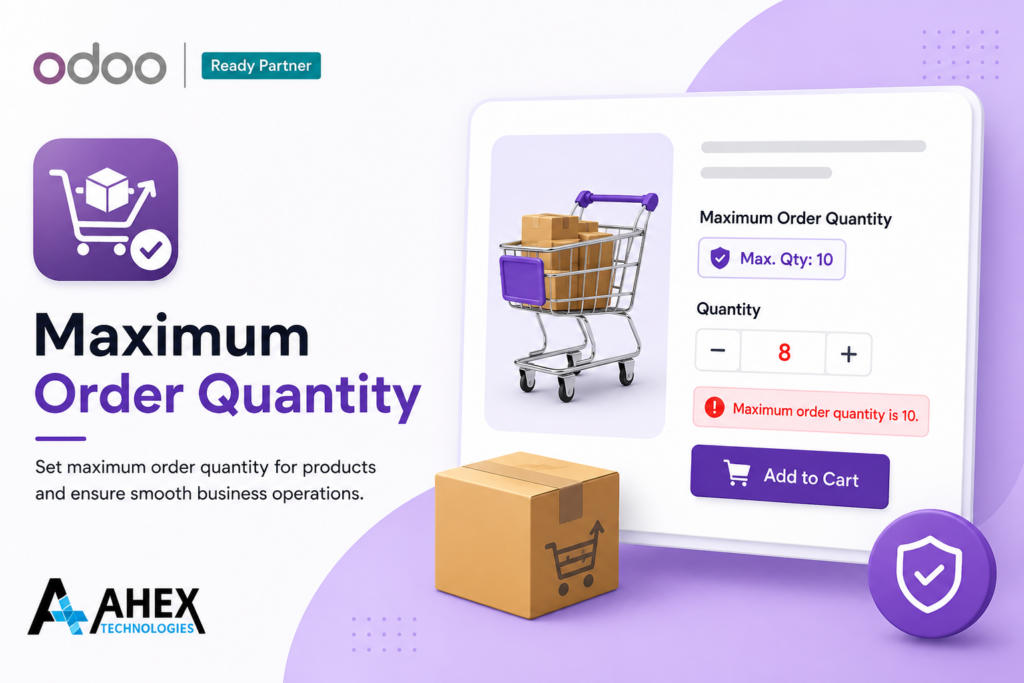
Maximum Order Quantity

Forem ipsum dolor sit amet, consectetur adipiscing elit.

Know more ➞