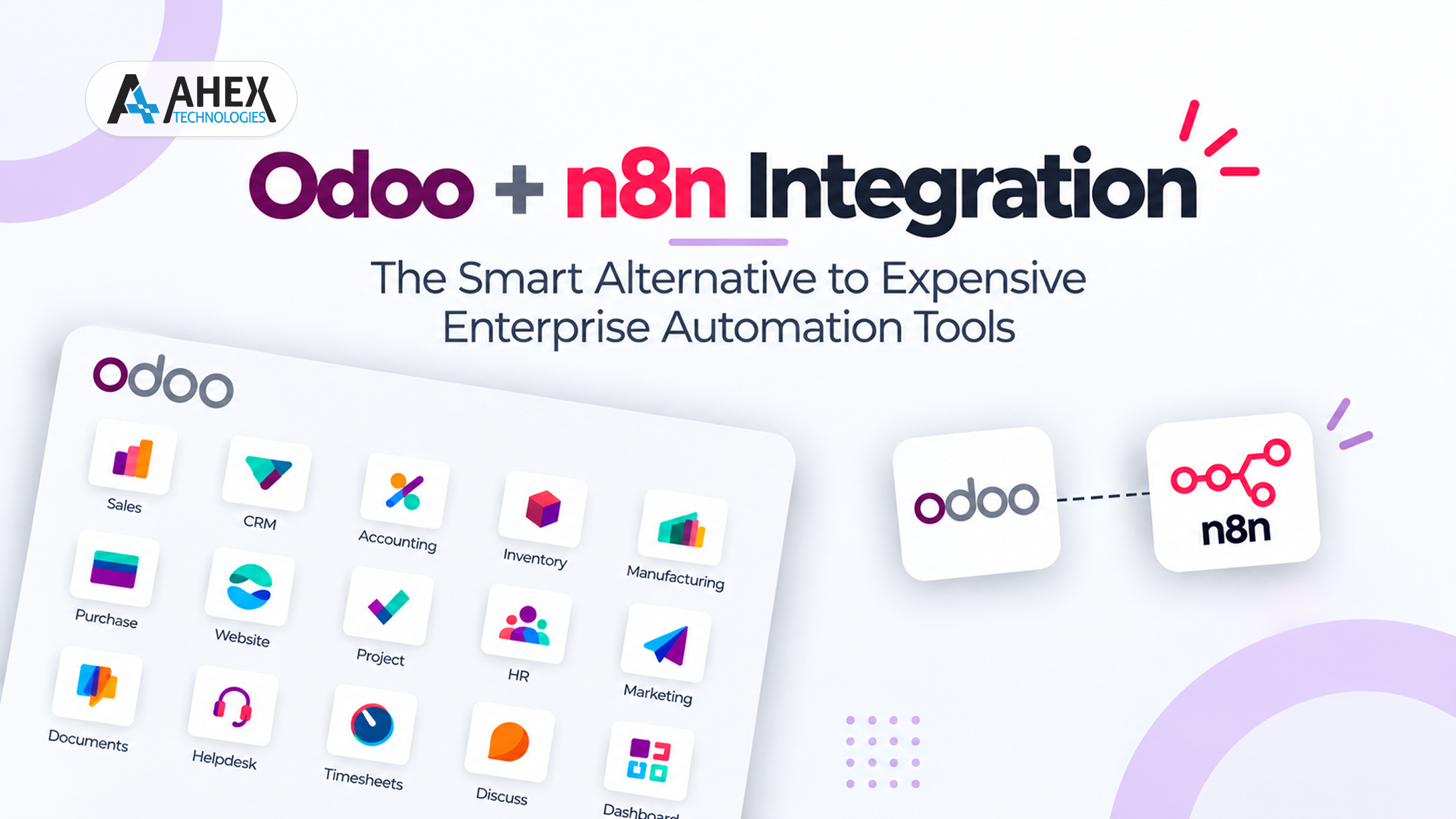
Odoo + n8n Integration: The Smart Alternative to Expensive Enterprise Automation Tools
Enterprise automation has traditionally been expensive. For years, businesses have been using tools like Zapier, UiPath, Microsoft Power Automate, and many others.
No doubt these platforms are powerful, but their subscription costs are also often high. Many offer usage-based pricing models and complex licensing too. Plus, implementing them requires huge investments.
For growing companies, especially MSMEs or mid-sized manufacturers, these high costs don’t always make sense.
This is where Odoo + n8n integration comes into the spotlight. It offers businesses a flexible approach to enable automation. In this setup, Odoo can remain the central system of record. On the other hand, n8n works as a workflow orchestration layer that connects the ERP with other apps via APIs, webhooks, and custom workflows.
Read this blog to learn about n8n and Odoo in detail. Explore how they work together, their practical integration use cases, implementation considerations, security requirements, and more.
Why Businesses Need Better Automation
Businesses use multiple systems to manage different operations. However, when these systems work independently, employees need to enter information manually.
This results in delays and increases the risk of duplication and errors. For small businesses, it can be fine, but as business volume increases, these manual handoffs become difficult to manage.
A well-designed automation layer can connect different business applications. Among these apps, the data is transferred automatically and triggers the right action based on business events.
With cross-system automation, processes that can benefit are:
- Capturing leads and updating CRM
- Syncing e-commerce orders
- Reconciling payments and invoices
- Tracking shipments
- Sending notifications on WhatsApp, SMS, or emails
- Syncing data between Odoo and external apps
What is n8n?
N8n, short for node-to-node, is a workflow automation platform. It helps connect apps, APIs, and services, and automate multi-level processes.
N8n is designed to handle more complex processes involving multiple steps, conditions, and external APIs.
- It can be self-hosted
- No per-task pricing
- Full control over data
- Highly customizable
Because of all these reasons, n8n workflows are ideal for businesses that want control without increasing their recurring costs.
Why Combine Odoo With n8n?
Combining n8n Odoo extends the ERP’s capabilities. It connects the platform with external applications and automates your workflows that span multiple systems.
1. Connect Multiple Business Systems
Uses APIs and webhooks to integrate Odoo with payment gateways, e-commerce platforms, communication tools, and other third-party applications.
2. Automate Repetitive Workflows
N8n Odoo integration automates all your repetitive tasks. The data automatically moves from the ERP to connected systems based on defined triggers and vice versa. You do not need to enter data manually.
3. Handle Complex Workflows
You can also build multi-step processes with conditional logic, data transformation, approvals, and actions across multiple app you are using.
4. Reduce Manual Errors
Integrating Odoo with n8n automates the data transfer. As there is no need to do it manually, the number of duplicate entries, errors, and inconsistencies drastically falls.
5. Customize Automation Logic
Odoo and n8n also adapt workflows to specific business rules. It does not rely only on predefined automation templates or basic integrations.
6. Gain Greater Deployment Control
Self-hosted n8n deployments give you more control over your infrastructure, workflow data, and network access.
How It Works
This is how the Odoo integrated with n8n workflow typically works.
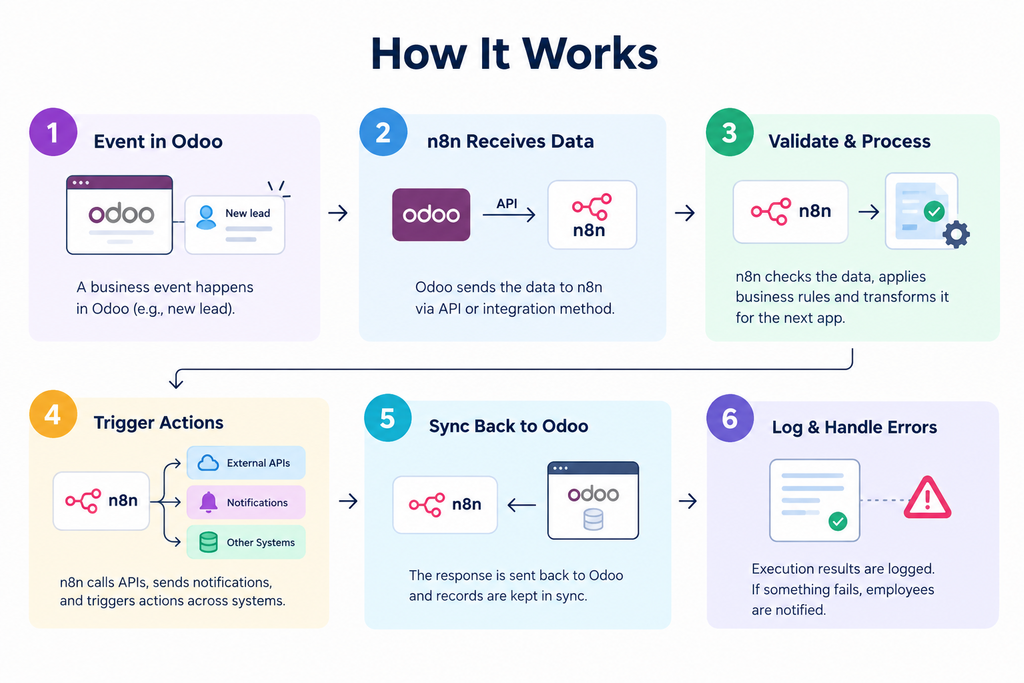
Step 1: A Business Event Occurs in Odoo
When a defined event happens, like a new lead is generated, it gets captured in the ERP platform.
Step 2: n8n Receives the Data
Odoo sends the relevant information to n8n through an API or other configured integration method. The former receives the data and starts the workflow.
Step 3: n8n Validates and Processes the Data
n8n checks the information. Then it applies business rules and transforms it into the format that the next app requires.
Step 4: n8n Triggers the Required Actions
Based on the n8n Odoo workflow logic, n8n can call external APIs, send notifications, and create or trigger multiple actions across connected systems.
Step 5: Results Are Synced Back to Odoo
Once the external action is completed, it sends the relevant response back to Odoo. Meanwhile, it also keeps the records synchronized.
Step 6: The Workflow Logs and Handles Errors
Lastly, the execution results are recorded by the workflow. If some actions are not completed, it notifies employees for their attention.
Step-by-Step Process to Integrate n8n with Odoo
Here is the complete process that you can follow for n8n Odoo integration.
1. Identify the Processes to Automate
First of all, identify the workflows in your business that are repetitive and involve the ERP and external apps. Then, define the trigger, data needed, business rules, and outcomes you expect from each process.
2. Choose the Integration Method
In this stage, determine how Odoo and n8n will exchange data based on your Odoo version and requirements. There are several options, such as via APIs, webhooks, or a custom n8n Odoo node. Select whichever goes well with your workflows.
3. Configure Authentication and Access
Set up secure authentication between Odoo, n8n, and third-party apps. You must use appropriate credentials for APIs, access permissions, HTTPS, and secure credential storage. This is to protect your business data.
4. Build the n8n Workflow
Create the workflow by connecting the Odoo platform with the apps. Also, add nodes for retrieving data, validating it, transforming, conditional logic, and other actions.
5. Test Different Scenarios
After n8n workflow development, test it using normal data as well as wrong data, API timeouts, failed requests, and other edge cases. This will help ensure that automation is behaving correctly.
6. Add Error Handling and Monitoring
Post-testing, configure retries, execution logs, and monitoring. This will help your employees identify and resolve failed workflows quickly without losing any important data.
7. Deploy and Continuously Optimize
Finally, deploy the tested n8n workflows in the appropriate environment and monitor their performance. However, don’t stop here. You need to update the workflows, credentials, rules, and integrations as your business processes evolve.
Real-World n8n+Odoo Automation Use Cases
The following are practical use cases where Odoo and n8n can be integrated to connect systems and automate various processes.
1. IndiaMART Lead → Odoo CRM → WhatsApp Follow-Up
When a new lead comes from IndiaMART, n8n captures the data and creates or updates the corresponding CRM record in Odoo. Then, it triggers a WhatsApp acknowledgement. The salesperson is notified, and a follow-up activity is created based on the rules defined.
2. Sales Order → Courier API → Tracking Update
Once a sales order is confirmed in Odoo, n8n sends the required order and customer details to a courier API. Then, the shipment is created. After that, the tracking information is updated in the ERP. It is also shared with the customer through SMS, email, or any other medium.
3. Payment Gateway → Odoo Invoice Reconciliation
n8n node connects payment gateways with Odoo to streamline payment reconciliation. A transaction is received, and the workflow retrieves payment details. Then, it matches them against the relevant invoice. Later, it updates the payment status and notifies the accounts team if an exception occurs.
4. Low Stock → Purchase Workflow → Vendor Notification
If inventory falls below a predefined threshold, Odoo triggers an n8n workflow. N8n creates the purchase draft based on product and vendor information. It also notifies the procurement team. Lastly, it sends the required information to the vendor.
5. Manufacturing Exception → Automated Escalation
Manufacturing teams can use n8n to respond to operational exceptions, like shortages of materials or quality issues. N8n can notify the appropriate team. It can also create an internal task, and escalate unresolved issues to management.
6. E-Commerce Order → Odoo Fulfillment Workflow
Orders received through e-commerce channels like Shopify are routed through n8n to Odoo. The workflow synchronizes the information for both the customer and the order. It triggers fulfillment processes and sends order-status updates back to the customer or e-commerce platform.
Comparing Odoo + n8n with Enterprise Automation Platforms
Here is a quick comparison between n8n Odoo integration and enterprise automation platforms. With this, you can be able to differentiate between the two and choose the right automation approach for your business.
| Factor | Odoo+n8n | Enterprise Automation Platforms |
| Deployment | Self-hosted or cloud | Mostly vendor-managed |
| Customization | Highly flexible | Platform-dependent |
| Integration | APIs, webhooks, custom workflows | Connectors and APIs |
| Workflow Complexity | Multi-step and conditional | Varies by platform/plan |
| Data Control | Greater control with self-hosting | Provider-dependent |
| Pricing | Infrastructure + implementation | Subscription/usage-based |
| Vendor Dependency | Lower with self-hosting | Generally higher |
| Best For | Custom Odoo-centric workflows | Standardized enterprise automation |
Best Practices for Designing Automation the Right Way
Effective automation is not just about connecting applications but the workflows should be designed to remain reliable, secure, maintainable, and easy to troubleshoot. Here are the best practices to automate your business with Odoo and n8n integration the right way.
1. Map the Business Process Clearly
Always define the complete workflow before building it. With that, identify the trigger, data involved, business rules, systems that need to interact, and expected outcomes. Also, figure out the points where there will be a need for human approval.
2. Avoid Over-Automation
You can automate repetitive and rule-based activities, but you must also keep human involvement where judgment or approval is important. Not every process can be fully automated, especially the ones that deal with sensitive data.
3. Add Logging and Error Tracking
During the Odoo+n8n integration, add tracking for workflow executions, failures, and retries. This helps in identifying issues quickly. Also, configure alerts for critical failures.
4. Maintain Version Control
Keep track of workflow changes and maintain separate versions when modifying production automations. This way, it will be easier to identify what changed, and rolling back problematic updates can be easy too.
5. Ensure Audit Trails
Record important workflow activities, such as data changes, approvals, automated actions, and failures. This clear audit trail can help you investigate issues and maintain accountability.
6. Implement Access Control
Restrict access to Odoo, n8n, workflows, credentials, and sensitive business data based on user roles. Use least-privilege permissions and secure credential management. This will help reduce the risk of unauthorized access.
Conclusion
To save time and effort, a business must automate its repetitive processes. However, for SMEs or small businesses, using enterprise automation solutions can be too expensive and complex to handle.
But there is a solution called Odoo and n8n automation. By combining Odoo’s unified ERP capabilities with n8n’s flexible workflow engine, you can build smart, scalable, secure, and cost-efficient automation ecosystems.
In this blog, we have explained Odoo n8n integration in detail, including the benefits, how it works, the step-by-step process, and best practices.
If you also want to automate your processes, contact Ahex Technologies, a trusted Odoo implementation company and official Silver Partner.
Have a product idea or an existing build that needs to scale? Partner with Ahex and close the gaps before your customers find them.
Book a free consultationFrequently Asked Questions
Why integrate Odoo with n8n?
Integrating Odoo with n8n can help you connect your ERP with external systems, like the payment gateways, e-commerce platforms, or communication tools. It automates repetitive workflows and reduces manual data entry.
How to connect Odoo n8n to popular payment gateways in India?
You can use APIs or webhooks to connect Odoo and n8n with payment gateways like Razorpay, Cashfree, and PayU.
How much does Odoo + n8n integration cost?
The cost depends on various factors like the workflow complexity, the number of systems involved, customization, etc. We recommend that you contact our team for tailored cost estimates.
Is integrating n8n with Odoo secure?
Yes, Odoo integration with n8n is secure, but you need to implement proper authentication, access controls for the API, encrypt connections, and secure the webhook configurations.
How can I get started with Odoo n8n integration?
Firstly, identify the business processes you want to automate and the systems involved. Then contact our team. Our consultants will guide you through the complete process and prepare a strategic roadmap for hassle-free n8n Odoo integration.