
Odoo Purchase · Unit of Measure
Vendor Unit of Measure Converter
for Purchase
Stop the manual maths. Automatically convert supplier units to your internal stock units, sync pricing both ways, and print vendor-ready purchase reports, all inside Odoo.
2 Prices
Always in sync
0 Changes
To stock records
2 Reports
RFQ & PO PDFs
PURCHASE UOM
CONVERSION RATIO
AUTO QTY CONVERSION
Trusted Partners




More Than 150+ Brands
Unit of measure mismatches are one of the most common sources of purchasing errors in any ERP system. Suppliers quote in their own units, kilograms, litres, metric tonnes, reels, rolls, cartons, while your warehouse stocks products in entirely different units: individual pieces, grams, millilitres, or metres.
Odoo's standard purchase module handles basic UoM conversion within the same category (e.g., kg to g), but it doesn't give you a purchase-specific unit with its own pricing logic, vendor-facing quantity display, and automatic two-way price synchronisation. That's the gap this module fills.
Without this module
- Manually calculate quantities
- Enter prices in stock units
- Maintain a conversion spreadsheet
- Risk data entry errors
- Send confusing purchase orders to suppliers who quote in different units
With this module
- Define a conversion ratio once per product
- Enter quantities and prices in the supplier's unit
- Let Odoo automatically calculate stock quantities
- Synchronise pricing in real time

Separate Purchase UoM
Define a dedicated purchase unit (e.g., kg, litre, carton) that differs entirely from your internal stock unit (e.g., units, grams, pieces).

Automatic Quantity Calculation
Enter quantities in the supplier's unit and the system instantly calculates the equivalent stock quantity using your conversion ratio.

Two-Way Price Sync
Update either the price per purchase unit or the base price, the other field recalculates automatically. No double-entry, no drift.

Dual Price Display
See price per purchase unit AND price per base unit simultaneously on every order line, perfect for cost analysis and comparison.

Vendor Product Codes in Reports
Purchase order reports and RFQs display the vendor's own product code alongside quantities, eliminating supplier confusion.

Inventory Stays Clean
All warehouse stock counts and valuations continue to use the base UoM. The conversion logic is confined entirely to purchasing.
Let's walk through a concrete scenario. You purchase wheat flour from a supplier who sells in kilograms, but your warehouse stocks and dispenses flour in units (bags) where 1 bag = 2.5 kg.
| Field | Description | Example Value |
|---|---|---|
| Base UoM | Your internal stock unit | Units (bags) |
| Purchase UoM | Supplier's unit of measure | Kilograms (kg) |
| Conversion Ratio | Purchase UoM qty per 1 base unit | 2.5 (1 bag = 2.5 kg) |
| Price per Purchase Unit | Supplier's quoted price per kg | $5.00 / kg |
| Price per Base Unit | Auto-calculated cost per bag | $12.50 / bag |
When you create a purchase order and enter 100 kg as the conversion quantity, the module automatically calculates 40 units (bags) for your stock and prices the line at $500.00. Change the base price and the purchase price updates. Change the purchase price and the base price updates. Change the conversion ratio and both prices recalculate.
Pricing formula applied on every purchase order line:
Unit Price
=
Price per Purchase Unit
X
Conversion Ratio
This is highly useful when your suppliers use different units (like Kilograms) than your internal stock units (like Boxes or Units)." — Ahex Technologies
This problem appears in every industry that handles physical goods. Here are the most common scenarios where businesses search for a solution like this:

1 of 7
Food manufacturing & FMCG
Buy raw ingredients (flour, sugar, oil) in metric tonnes or kg from bulk suppliers, but consume and stock them in grams or litres for production recipes.
2 of 7
Textile & apparel
Purchase fabric in metres or linear yards from mills, but stock and cut fabric in centimetres. Bill of materials need internal units while POs reflect supplier units.
3 of 7
Industrial & hardware distribution
Buy fasteners, nuts, and bolts by weight (kg) from suppliers but store and sell them by individual count (units). Reorder points are in units but POs go out in kg.
4 of 7
Pharmaceuticals & chemicals
Purchase active pharmaceutical ingredients (APIs) in grams or kg but stock and issue them in milligrams per batch. Regulatory records require both units to be traceable.
5 of 7
Construction & building materials
Purchase cement in metric tonnes, sand in cubic metres, but project estimation and site issuance happens in bags or smaller standard units.
6 of 7
Petroleum & lubricants
Buy lubricating oil in barrels or bulk drums from suppliers but sell and stock it in litres or individual packaged units with different margin calculations per unit.
7 of 7
Agriculture & agri-processing
Procure produce in quintals or metric tonnes from farmers but process and stock in kilograms, with automatic wastage and conversion ratio management.
Open the product form
Navigate to Sales → Products → Products and open the product you want to configure for multi-unit purchasing.
Go to Conversion Details
In the product form, find the Conversion Details section. This is added by the module and contains all conversion-specific fields.
Set your Purchase UoM
Select the supplier's unit of measure (e.g., kg, litre, carton). This must be a valid Odoo unit, create it under Configuration → Units of Measure if needed.
Enter the Conversion Ratio
Enter how many Purchase UoM units equal one Base UoM unit. Must be greater than zero. Use decimals like 0.001 when purchasing in larger units than you stock in.
Set either price field
Enter the Price per Purchase Unit (supplier's quoted price) or the Price per Base Unit (your internal cost). The other field calculates automatically.
Add supplier and vendor code
In the Supplier Info tab, add the supplier and fill in their Vendor Product Code so it appears correctly on purchase order reports and RFQs.
Both report formats use the supplier's own vocabulary — their unit, their product code, their pricing format — making it easy to email directly to vendors without reformatting or confusion.
Request for Quotation (RFQ)
- Serial number (S.No)
- Quantity in Purchase UoM
- Placeholder price column
- Supplier-facing format
Purchase Order Report
- Serial number (S.No)
- Vendor product code
- Quantity in Purchase UoM
- Price per purchase unit / UoM (e.g., 5.00 / kg)
Compatibility
- Odoo.sh
- On-Premise
- Community Edition
- Enterprise Edition
Dependencies

Inventory (stock)
Discuss (mail)
- No third-party libraries required.
- No external services required.
- All standard Odoo modules available in both Community and Enterprise.
Implementing custom UoM logic in Odoo requires modifying the purchase.order.line model, adding computed fields with bidirectional onchange methods, overriding report templates (QWeb), handling floating-point precision correctly for ratio calculations, and ensuring the inventory module remains unaffected. That's typically 3–6 days of senior Odoo developer time.

At $22.00 for a tested, maintained module with 231 lines of clean code, you get a proven solution that installs in minutes and is auditable by any Odoo developer.

The module is maintained by Ahex Technologies, a dedicated Odoo Apps publisher known for focused, lightweight modules that do exactly one thing well and are easy to audit or extend.
Stop Converting Units Manually
Get the Vendor Unit of Measure Converter for Purchase and let your purchasing team work in the supplier's language while your warehouse speaks its own, automatically.
Case Study
Towanto: Multi-Vendor Agriculture E-Commerce Platform
Towanto
Towanto is an agricultural products provider that partnered with AHEX Technologies to build a scalable Odoo-powered marketplace connecting multiple sellers with customers through web and mobile commerce.
- Multi-Vendor Marketplace
- Web & Mobile Commerce
- Seller Management Portal
- Integrated Payments & Notifications
Sodahub: Multi-Company Odoo ERP Transformation
Sodahub Industrial
Sodahub Industrial is a diversified beverage manufacturing company operating across flavour production, PET bottle manufacturing, and packaged drinking water. AHEX Technologies migrated its operations from TCS iON ERP to a unified Odoo platform.
- Multi-Company ERP Implementation
- Manufacturing & Supply Chain Management
- TCS iON to Odoo Migration
- Real-Time Dashboards & Reporting
Isler India: End-to-End Kitchen Appliance Manufacturing
Isler
Isler India is a design-driven kitchen appliance manufacturer producing chimneys, built-in hobs, cooktops, OTGs, microwaves, and dishwashers. AHEX Technologies implemented Odoo ERP to connect sales, manufacturing, inventory, procurement, finance, and HR.
- Automated Production Planning
- Real-Time Inventory Management
- Centralized CRM & Sales
- Integrated HR & Accounting
Vastu Company Ltd.: Smarter Construction Operations with Odoo
Vastu Company Ltd.
Vastu Company Ltd. provides mining, drilling, blasting, and light gauge steel construction solutions. Ahex Technologies implemented Odoo ERP to connect project management, field service, workforce, finance, procurement, and inventory operations.
- Project Cost & Profitability Tracking
- Automated Workforce & Payroll
- Integrated Accounting & Billing
- Real-Time Dashboards & Reporting
What Our Clients Say About Us
Explore Our Blogs on Odoo Integration


Related to Implementation
No. The conversion logic applies only inside the purchasing environment. Your warehouse inventory continues to use the Base UoM for all stock counts, valuations, and reorder calculations. Nothing changes for your warehouse team.
Use decimal conversion ratios. Enter 0.001 as the ratio when 1 purchase unit equals a fraction of a base unit. The module validates that the ratio is strictly greater than zero.
Odoo’s built-in UoM handles conversions within the same category (e.g., kg to g) using a fixed system ratio. This module adds a product-specific purchase UoM with its own conversion ratio, purchase-unit pricing, two-way price synchronisation, and vendor-specific report columns — none of which exist in standard Odoo.
Existing purchase order lines store the conversion values at the time of creation. To apply updated ratios, re-select the product on the order line or update the quantity to trigger a recalculation.
Navigate to the product’s Supplier Info tab, add the specific supplier, and fill in their Vendor Product Code field. The report pulls this value per supplier, so it must be configured for each vendor separately.
The conversion ratio is currently configured at the product level and applies globally. For supplier-specific ratios, contact Ahex Technologies about customisation options.
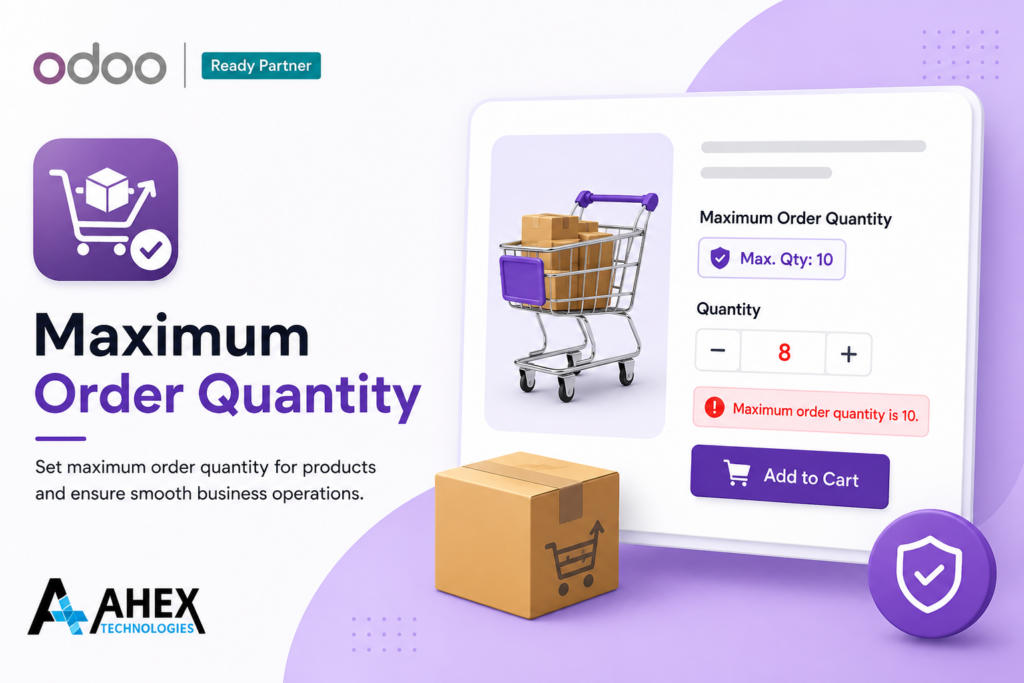
Minimum Order Quantity
Forem ipsum dolor sit amet, consectetur adipiscing elit. Nunc vulputate libero et velit interdum, ac aliquet odio mattis. Class aptent taciti sociosqu ad litora
Know more ➞
Minimum Order Quantity
Forem ipsum dolor sit amet, consectetur adipiscing elit. Nunc vulputate libero et velit interdum, ac aliquet odio mattis. Class aptent taciti sociosqu ad litora
Know more ➞
Minimum Order Quantity
Forem ipsum dolor sit amet, consectetur adipiscing elit. Nunc vulputate libero et velit interdum, ac aliquet odio mattis. Class aptent taciti sociosqu ad litora
Know more ➞
Looking for a Solution? Let's Talk
- sales@ahex.co.in
- (India) +91 - 8885564224
- (USA) +1 - 6503197394
DEVELOPERS
YEARS IN OPERATION
GLOBAL CLIENTS