
Odoo ERP Integration: One Platform for Sales, CRM and HR
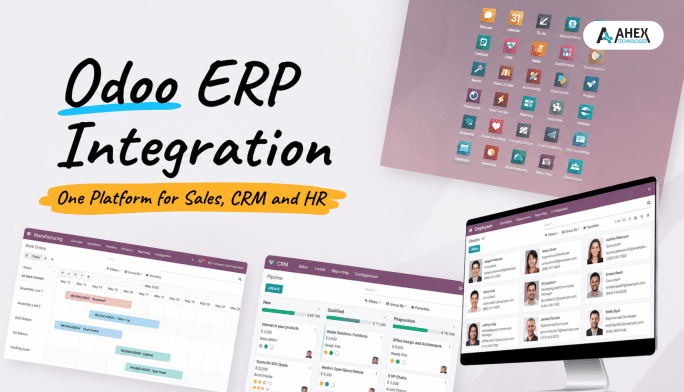
Odoo ERP Integration: The Key to Replacing Standalone CRM, HRM, POS and Sales Tools
If your business is constantly toggling between different apps for sales, HR, customer support, and POS it might be time for a serious change. Juggling multiple platforms is not just inefficient it leads to miscommunication, data silos, and unnecessary costs. Enter Odoo As a complete business engine, it integrates processes, improves customer loyalty, and empowers teams with automation and real-time insights.
In this blog, we explore how Odoo ERP Services delivers a smarter, seamless experience compared to fragmented systems, and how consolidating tools under one intelligent platform improves collaboration, efficiency, and business growth.
1. Why Standalone Software Fails Modern Businesses
In many organizations, CRM, HRM, POS, and sales software operate as separate tools. This means customer information may live in one system, employee data in another, and sales reports in yet another. The result? Disconnected teams, data duplication, and missed insights.
- Data gets lost between systems
- Employees waste time switching apps
- Customers suffer from inconsistent service
- IT teams struggle with maintaining integrations
2. Why Integration Matters in 2026
Today’s fast-paced businesses require real-time data, automation, and consistent user experiences. When tools are disjointed, it’s impossible to unlock true visibility or make fast decisions.
- Real-time collaboration across departments
- Automated workflows between teams
- Centralized reporting and decision-making
- Lower operational costs and fewer errors
3. Meet Odoo ERP: A Unified Business Engine
Odoo is not just another ERP it’s an all-in-one business management platform. Instead of relying on multiple tools, businesses can use a fully integrated suite of applications to manage their operations efficiently. You can explore more about such solutions on our website.
4. Odoo CRM: From Lead to Loyalty – All in One Place
Unlike standalone CRMs, Odoo CRM links your marketing, sales, customer service, and inventory teams together.
- Lead scoring and nurturing
- Email/SMS campaigns
- Quotation automation
- Integration with e-commerce and accounting
No more guessing where a customer is in the funnel; everything is visible and trackable.
5. Odoo HRM: Simplify People Management Without Silos
Odoo’s HRM tools allow you to manage recruitment, employee records, payroll, appraisals, and attendance all within one system.
- Smart recruitment pipeline
- Digital contracts and e-signatures
- Payroll integrations
- Timesheets and project allocations
You save HR hours every week by eliminating duplicate data entry and manual reporting.
6. Odoo POS: Real-Time Sales & Inventory in Harmony
The Odoo POS module works seamlessly with inventory, sales, accounting, and customer data.
- Works offline and syncs in real-time
- Supports barcode scanners and payment terminals
- Manages loyalty programs
- Directly updates inventory and accounting
No need to manually reconcile store sales with backend systems everything updates in real time. For retailers looking to go further, Odoo POS integration services can streamline operations even more
7. Odoo Sales: Speed Up Cycles, Close More Deals
With Odoo Sales, you streamline the sales cycle with automated quotations, digital contracts, and tracking at every stage.
- Automated quotation generator
- Multiple pricelist options
- Integrated email communications
- Forecasting and goal tracking
Your sales team focuses on selling not switching between spreadsheets and tools.
8. Odoo ERP Integration with Third-Party Systems
While Odoo already unifies CRM, HRM, POS, and Sales in one place, most businesses still rely on a few outside tools, accounting software, an online store, or a payment processor. Odoo doesn’t force you to give those up. It connects to them.
Odoo uses open APIs (REST and XML-RPC) that let it exchange data securely with almost any external system. In practice, this means:
- Accounting tools like QuickBooks or Xero can sync invoices and payments automatically
- E-commerce platforms like Shopify or WooCommerce can push orders and inventory straight into Odoo
- External CRMs like Salesforce or HubSpot can stay connected for marketing while Odoo handles sales and operations
- Payment gateways like Stripe or PayPal can reconcile transactions without manual entry
This means you don’t have to choose between “replace everything with Odoo” and “keep your current tools” Odoo can do both, depending on what actually needs to change first.
9. Key Advantages of Choosing Odoo ERP Over Standalone Tools
| Feature | Standalone Tools | Odoo Unified Platform |
| Data Integration | Manual or API-based | Native, real-time sync |
| User Training | Multiple systems to learn | One consistent UI |
| Cost | Pay for multiple licenses | Single subscription |
| Reporting | Fragmented reports | Centralized dashboards |
| Automation | Limited cross-tool workflows | End-to-end automation |
10. Odoo ERP Adoption: Results Businesses Report
Businesses that migrated to Odoo ERP report:
- 30–40% faster operations
- 20% increase in customer satisfaction
- 50% fewer IT support requests
- ROI within 6–12 months
11. How Odoo ERP Enhances Business Automation, Visibility & Insights
If you’re running marketing campaigns on one app, managing leads in another, and fulfilling orders from a separate system, you’re losing time and money. Odoo removes that friction by connecting every function into one automated workflow:
- Detect bottlenecks instantly and automate repetitive tasks
- Access predictive sales forecasts and monitor KPIs from a unified dashboard
- Keep data flowing from lead to invoice without duplication, so teams work from a single source of truth and decisions are faster
12. How Odoo ERP Helps You Avoid the Pitfalls of Disconnected Workflows
If you’re running marketing campaigns on one app, managing leads in another, and fulfilling orders from a separate system you’re losing time and money. With Odoo:
- Data flows from lead to invoice without duplication
- Teams work from a single source of truth
- Business decisions are faster and more informed
13. Common Odoo ERP Integration Challenges
Integration isn’t automatic a few things can go wrong if it’s rushed:
- Messy data. If customer IDs or product codes are inconsistent across systems, integration multiplies the mess instead of fixing it.
- Legacy software. Older tools without modern APIs are harder to connect and may need custom work.
- Skipped testing. Syncing real transactions before testing thoroughly is how errors reach live data.
A certified Odoo partner maps your data properly and tests the connection before it goes live which is why implementation partner choice (next section) matters as much as the integration itself.
14. Choosing the Right Odoo Partner
Implementation matters. To get the full benefits of Odoo, work with a certified Odoo implementation partner who can:
- Understand your business workflows
- Configure modules without over customization
- Provide training and support
- Scale with your growth. If you need expert support, you can contact our team for Odoo implementation guidance.
Pro tip: Avoid over-customization early on. Focus on adapting your business processes to Odoo’s built-in workflows first.
Conclusion
In today’s fast-moving digital world, using disconnected systems is like navigating with a broken compass. Odoo provides a unified platform that ties together sales, HR, POS, CRM, and more giving you full control, better visibility, and faster results.
Ready to ditch the app overload and embrace a streamlined, smarter way to manage your business?
Contact us today for Odoo consultation and demo.
Odoo ERP FAQs: Everything You Need to Know
Q1. Is Odoo suitable for small businesses?
Yes, Odoo is modular and cost-effective, making it ideal for startups and SMEs.
Q2. Can Odoo replace my existing HR or CRM software?
Absolutely. Odoo covers end-to-end employee and customer relationship management.
Q3. What about data migration?
Certified Odoo partners provide tools and services to migrate data from existing systems.
Q4. How long does implementation take?
Typically between 4–12 weeks depending on business complexity and module selection.
Q5. Is it cloud-based?
Yes, Odoo supports both cloud hosting options, such as Odoo.sh and AWS. Additionally, it also offers on-premise deployment for businesses that prefer local hosting.
Q6. How much does Odoo ERP implementation cost?
Cost depends on the number of modules, level of customization, and business size implementations typically range from a few thousand to tens of thousands of dollars. Contact an Odoo partner for a quote based on your specific requirements.
Q7. Why choose Odoo over other ERP systems?
Odoo combines broad functionality with modular flexibility, letting businesses activate only the apps they need and scale up as they grow without vendor lock-in.
Q8. Is Odoo an ERP or a CRM?
Odoo is both. It’s a full ERP platform that includes CRM as one of its built-in modules, alongside HR, sales, inventory, and accounting so businesses don’t need a separate CRM tool.
Have a product idea or an existing build that needs to scale? Partner with Ahex and close the gaps before your customers find them.
Book a free consultation


